
Social Media has immensely evolved at a HIGH PACE!
And one of the leading social media platforms is FACEBOOK.
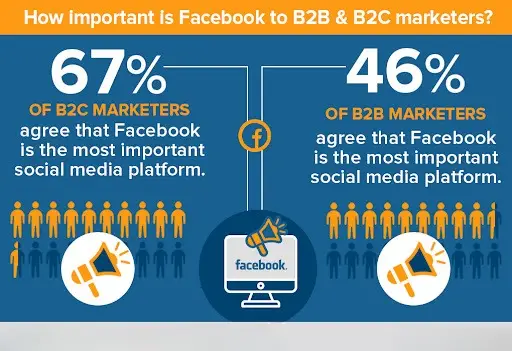
Here’s an amazing fact, Facebook has 2.91 billion monthly active users
That’s a huge number!
Which makes it the 7th most valuable brand in the world.
But what about you?
Unlock Your Free SEO Audit Now
Unlock your website’s full potential! Get a FREE SEO Audit with 60+ checks. Don’t miss insights for online success.
Get a Free AuditDO YOU have your business page on Facebook??
If not yet, You are missing a ton of chances to grow your business.
Just think of the level of popularity your business can get,
When listed on Facebook…
So, I got you this amazing blog which is…
Top 13 Hacks To Improve Facebook SEO For Business Pages
In this, you will learn everything about Facebook SEO and how to optimize Facebook business page.
So let’s quickly roll in:
What Is Facebook SEO?
First, let me start with the basics…
You must have heard about SEO, which is Search Engine Optimization.
Now SEO is all about giving power to your website which…
- Drives More Organic Traffic
- Increases Your Website’s Google Rankings
- Grow Sales and
- Generate More Revenues
After all this, you may ask,
What does this have to do with Facebook? Well…
Facebook SEO is as important as any normal SEO practice.
It includes the path from finding relevant keywords to generating revenues.
If you want to rank your business pages and drive more customers…
Then, you have to implement Facebook SEO.
The procedure is just the same as for websites.
With this, comes the benefits… by optimizing your business pages, you can
- Drive More Potential Customers
- Maximize Your Reach
- Improve Google Rankings
- Attract More Followers
- Build Your Brand
- Increase the Brand’s Visibility
- Grow Sales And Revenues
Are you ready to make your business pages on Facebook?
Here’s what I got for you…
Tips For Performing Facebook SEO
Let us now dig deeper and know how you can do SEO for Facebook.
Perform SEO Keyword Research
Keyword Research should be a quite familiar term if you know SEO.
Also, it is not that tricky part if done correctly.
All you have to do is…
Go to Google.com, and search for terms related to your business.
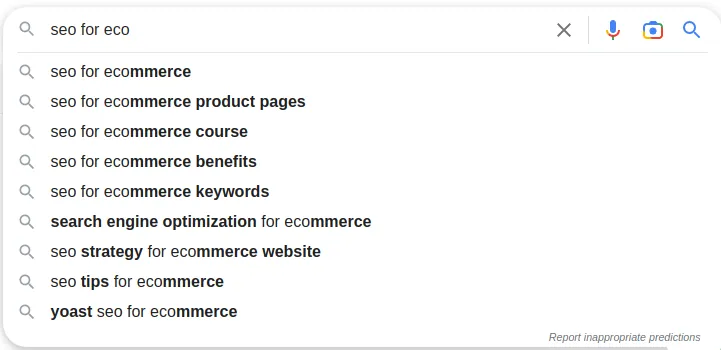
This is how you can gather the keywords related to your business page.
These are the terms that people are searching for when they look for your business page.
You just have to brainstorm your mind and…
List out a few broad topics that are related to your business.
For example,
If you have a business in Tours and Travel.
Let’s ask Google,
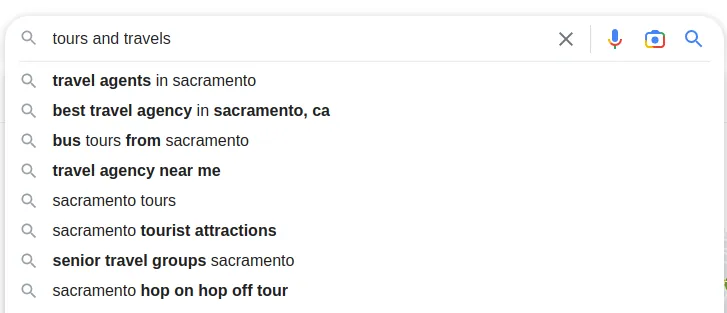
As you can see!
You’ll get a long list of keywords that are closely related to your search term.
Now, you can pick a handful of these keywords and put them on your page.
To OPTIMIZE YOUR FACEBOOK PAGE!
Here’s something I got for you…
If you have an E-commerce Business Page, you can look for Powerful Ecommerce SEO Tools To Grow Your Online Store.
Moving forward, we have…
Create A Custom Page Name And URL
Yes, a Facebook page should have a page name.
It is an obvious thing. Like who forgets that…
But have you ever thought about making the Page name SEO Friendly?
Think about,
How will your audience find you?
By searching your business name on Facebook!
So to be found, you have to give your page a strong page name.
This will not only help you in boosting your Facebook SEO but also in ranking your page on search engines.
You might ask, what’s the big thing in naming the page?
To improve your Facebook SEO, it is important to name your page that includes the keywords also.
Including the relevant keyword that you listed…
Can definitely increase your organic reach and chances of ranking on top.
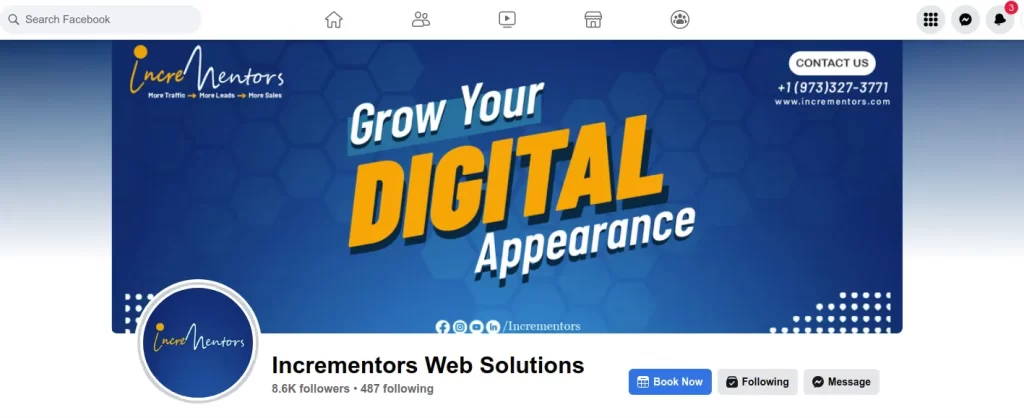
Here’s how my Facebook Page Looks like,
Coming on to optimizing URLs, this simple step can surely improve your Facebook SEO.
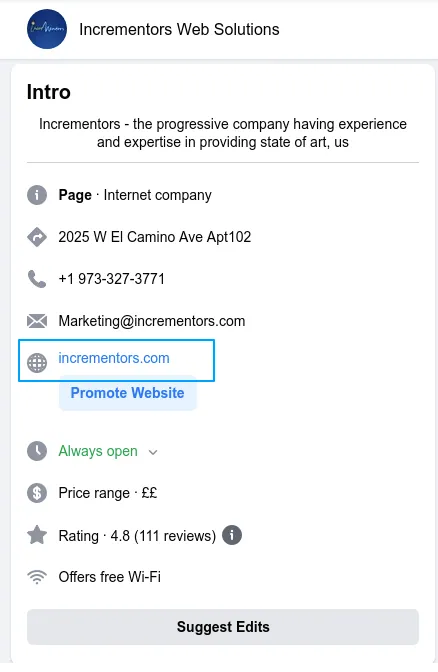
Make sure that the URL is simple and short.
To not get confused, use the name of your business as the URL.
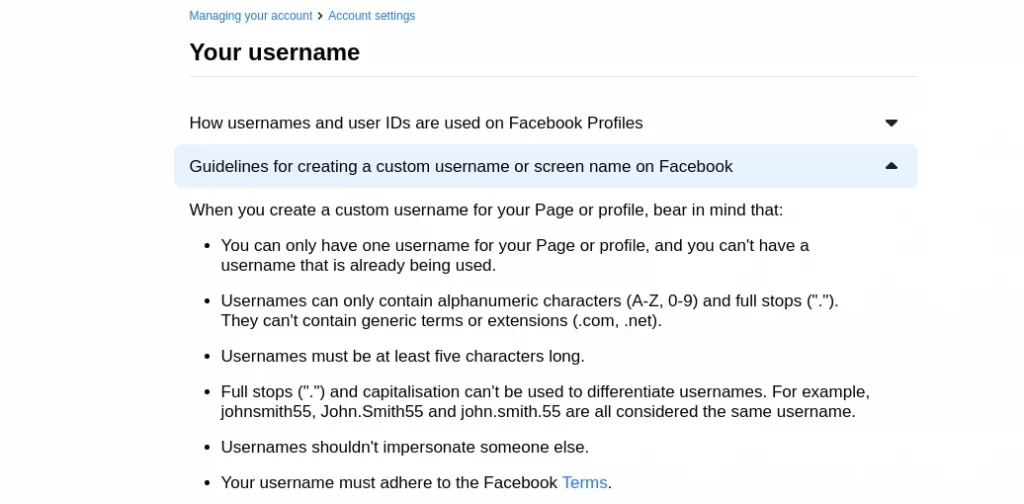
So, to make your username and URL easy to read and understand,
Follow the below guidelines.
Go to Help Centre > Managing your account > Account settings.
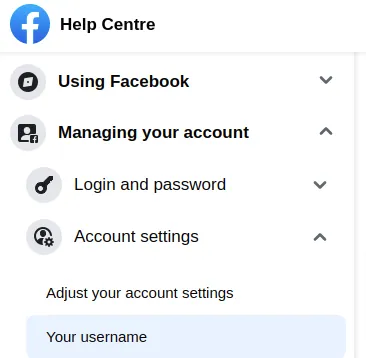
Look for Your Username option,
Read More: How To Create An SEO-Friendly URL
Add Profile And Featured Image
Having a visual identity for your brand helps you grow your online presence, build credibility, and increase your sales.
For this, your business page must have a Profile Image.
Follow these simple steps to create or edit your profile image.
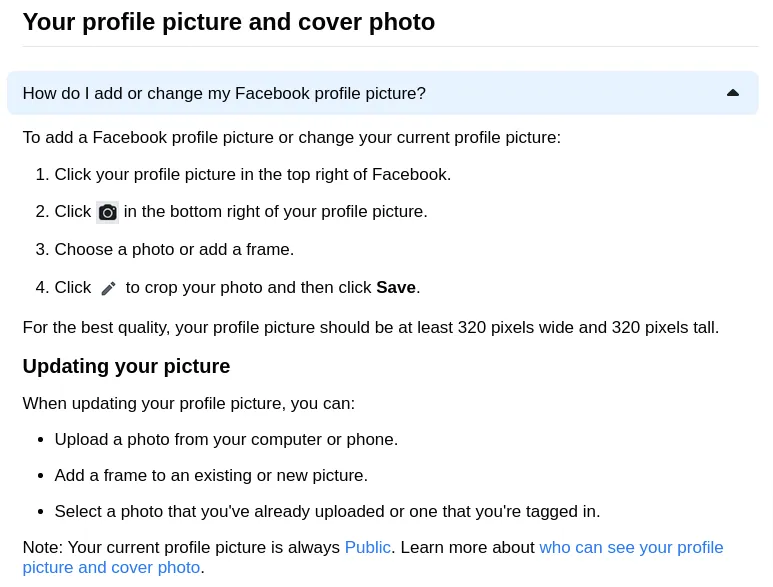
Here’s how you can change your profile image,
By clicking on the Update Profile Picture button.
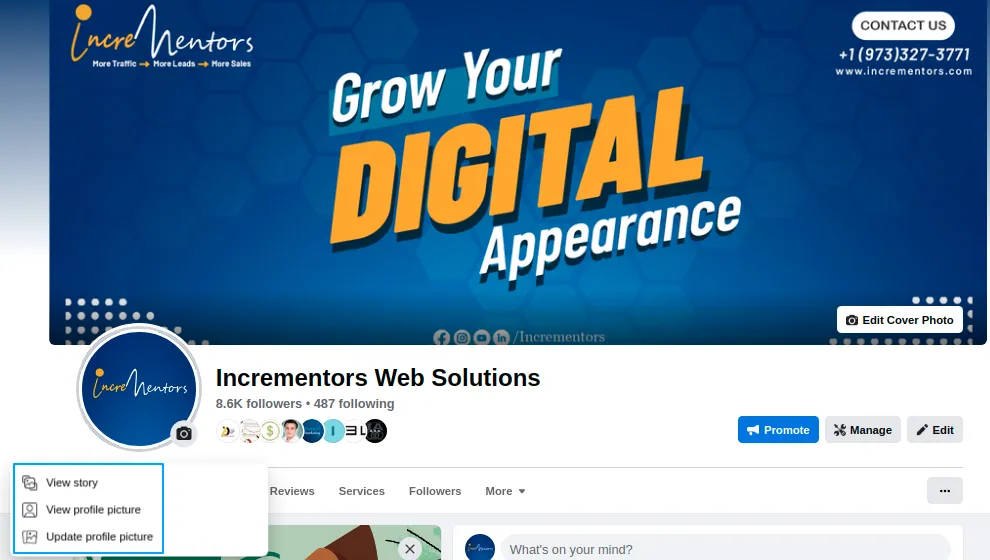
Another way of optimizing your business pages is…
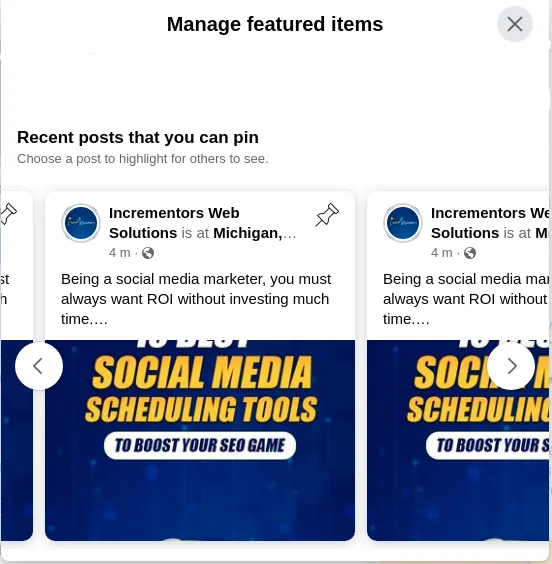
Taking full advantage of the Feature Images Section.
This function helps you to make your customers know better about your business.
You can pin up to 50 testimonials or posts you published on your profile.
Here’s how it looks
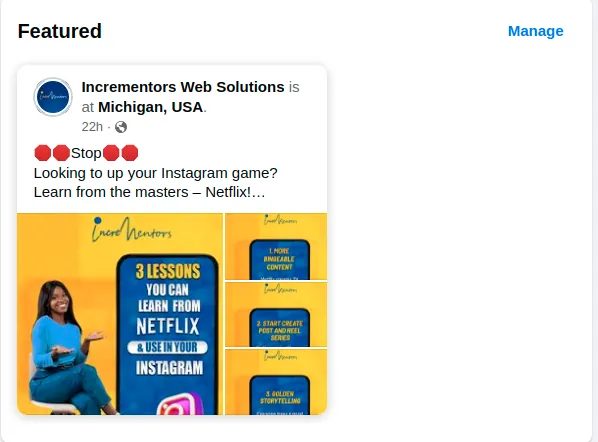
And if you click the manage button, you can change the post on a regular basis.
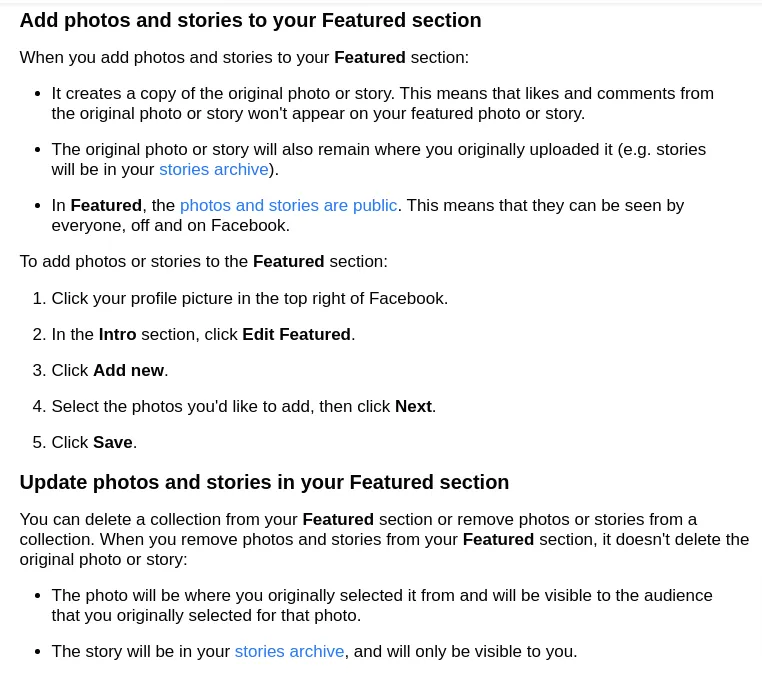
Follow the steps below to optimize your Facebook page and add Feature images.
Implement Facebook SEO In The “About” Section
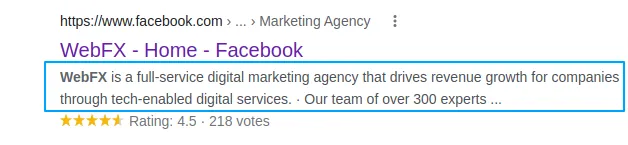
Want your business to be identified by Google?
Then make sure to fully optimize your Facebook page About section.
This is what Google will show as the Meta Description under your page website URL.
If you do this piece of task correctly…
You will be in the best position to boost your rankings.
Just remember these facebook SEO tips, the ABOUT section should contain:
- A one or two-liner summary of your business or company.
- List of services or products you offer.
- Should be short and simple
- Most important, include focus keywords.
It is just not the introduction part but…
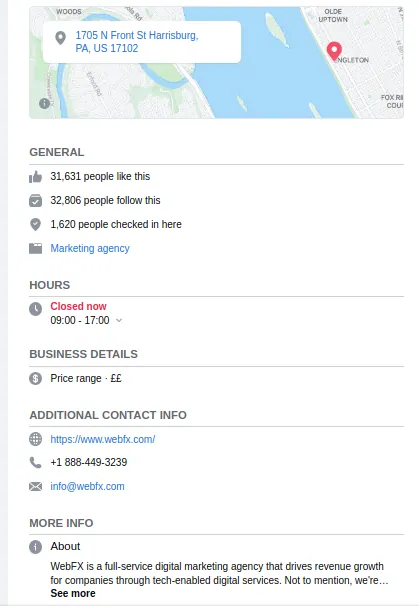
There are many more aspects to look for and optimize. Such as
- Locations
- General Information
- Working Hours
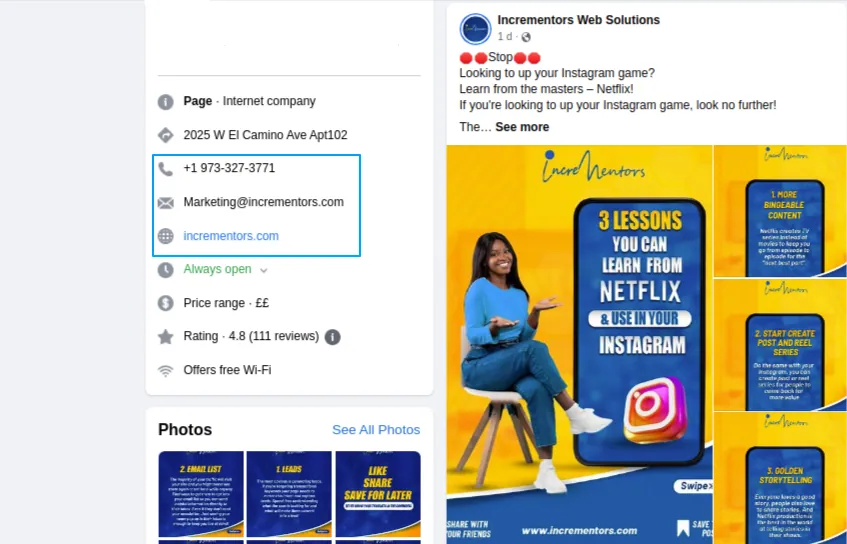
- Contact Details
- More Info.
Include Contact Information
Suppose the visitors want to take your products or get your services…
But can’t find the contact details.
In this situation, what will happen?
Unfortunately, they will move on to any other website and get their services.
So, it is very important to include your contact details.
Which includes,
- Phone Number,
- E-mail address
- Alternate Contact Number
Add A CTA Button
This is where Conversions take place…
Facebook offers you to put a list of action-taking buttons.
This allows your customers to take actions such as…
- Contact you
- Message you
- Book an Appointment with you
- Email you
For example,
If a customer visits your Facebook page,
And sees a post of yours, about how to write exceptional product description.
Now, they find it interesting and further want to know about this…
How will they contact you?
Yes! This CTA button will allow them to contact you and get further guidance.
Also, my website’s Facebook Page has a contact us as a CTA button for the visitors to directly make calls,
Have a look,

You can add the call-to-action buttons listed above.
Post Content Regularly
Things will not work if your Facebook Page isn’t updated regularly.
To get more visibility and engagement from your Facebook Page.
You have to be interactive…for this, you can upload posts regularly.
There are a lot of posts that you can upload,
This includes Videos, Blogs, Images, etc.
Read More: 8 Mind-Blowing SEO Tips For Blogs To Rank
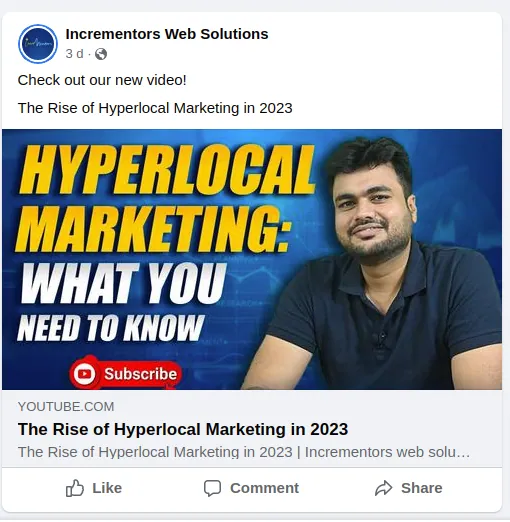
Like I shared a video on HyperLocal Marketing just 3 days back.
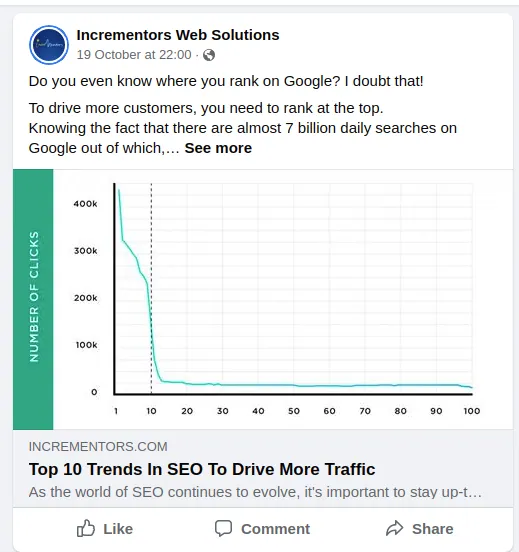
Here’s a blog post of mine uploaded on the Facebook page,
Do check it out!
You can surely drive more traffic to your website following these Trends in SEO.

And this is one of the best ways to increase engagement.
The GIVEAWAYS!
This can drive a lot of traffic and make them stay for a while.
For example, if you have a business related to Fashion and Clothing.
You can post…
- The latest fashion trends,
- Videos of your products,
- Tell about the ongoing sale and offers.
- Conduct Christmas Giveaways… and much more
Include CTA’s to your posts to convert your visitors into customers.
It should have,
- A Clickable Link to your website
- Comment Section
- Video Links
- Read More button
Interact With Your Audience
Users love interacting with brands and businesses.
So, it is important as well as beneficial for you to interact with your audience.
Interactors are the one who comments on your posts.
So, you have to make them feel special and unique.
For this, you can simply reply to them back and answer their questions.
Replying and commenting shows that the business cares about its customers.
If you interact well with your audience…
It will definitely boost your Facebook SEO.
By this, you’ll get some good reviews from the customers.
Here’s a quick view of the reviews of my clients,
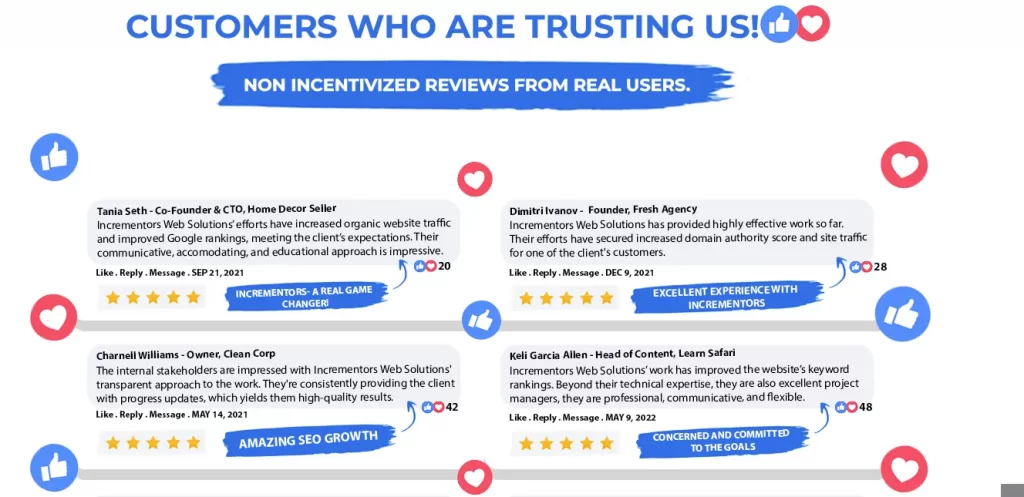
Positive reviews are always good for your site’s visibility and trust.
If users search for something related to your business on Facebook,
There are chances that your Facebook page will show up in the top searches.
Why? Because your rating is high and reviews are really good.
This would really encourage visitors to visit your Facebook page.
Which can lead to SALES.
Manage Customer Reviews And Comments
It is all up to you as a business owner…
If you want your customers to give you reviews or not.
You will able to see a Review Tab.
From here, you can see all the reviews your Facebook page has received.
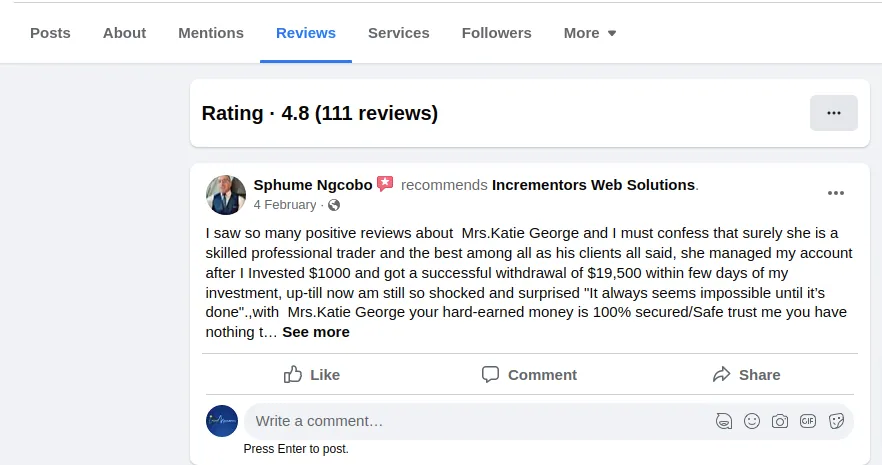
And if you don’t want to allow people to give reviews…
Click on Review Tab > Go to Settings.
You will a box like this,
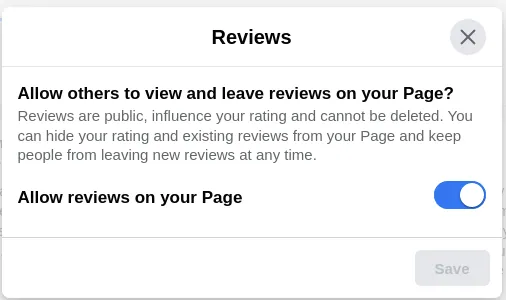
Can you see the Slider on the right?
Just Click on it.
Now the public won’t be able to give reviews.
Coming on to comments,
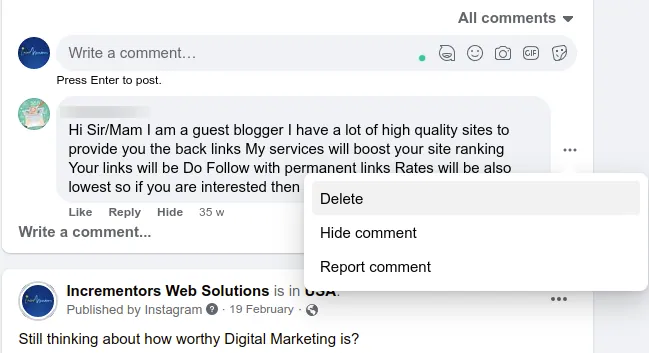
If you want to delete any comments which are not appropriate to you,
You can simply Go to that post > Click on the 3 dots icon > Now you will see 3 options: Delete, Hide, Report.
You can give the command accordingly.
Here’s an example of how it is done.
Build Backlinks To Your Facebook Page
Building Backlinks is another crucial aspect of any SEO strategy.
And when it comes to SEO for Facebook…
Backlinks are like Good Reviews.
This means more quality equals more chances of getting that #1 spot on google.
One of the most common practices to build backlinks for Facebook SEO is…
Connecting with Influencers
Now you can connect with a few Facebook accounts which have a large no. of followers.
By this, you can take advantage of several benefits:
- Increased Referral Traffic to your Facebook Page
- Building Backlinks ( as other site owners will link to your website)
- Improve SEO Strategy
Also, if you are guest blogging for other websites, you can ask them to link your Facebook Page to that article.
This will enhance your Facebook SEO rankings.
Plus, you can get great conversions.
Read More: How To Get Started With Guest Posting SEO
Optimize Your Facebook Posts
It must be clear by now that keywords are the prime feature of Facebook page optimization.
But leaving the About section aside,
There are many more parts that have to be optimized.
These include the Facebook Posts
Firstly, you have to upload posts that relate to your audience.
Infuse the right keywords wherever required.
These are some places to include the keywords
- Page Description
- Headlines
- Captions
- Visuals ( Alt-text)
Find The Best Time To Post
Now that you are ready to deliver your Facebook Post, it is the to POST IT
But Wait! You can not just simply post at any time…
You have to find the best time to post.
What, is there any rocket science in this also?
It is not like that, but if you want to maximize the engagement on your posts and
Increase the reach of your business page, and make the most out of your posts…
Then make sure to post at the right time.
Let me explain to you Step -By- Step
1. Find out the top engagement times of your Page ( Use Facebook Page Insights)
Go to Page Insights
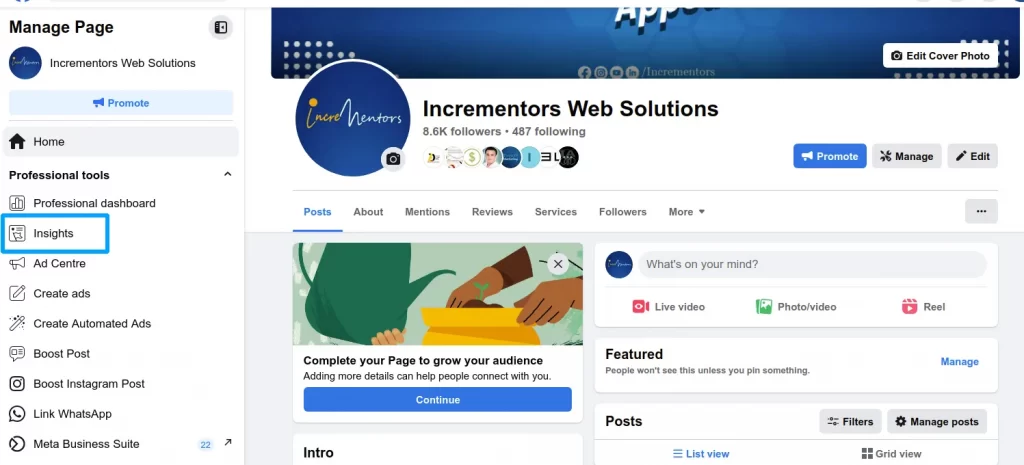
There, you will find many sections on the right hand, and on the other side you’ll find out the graphs
Just like this…
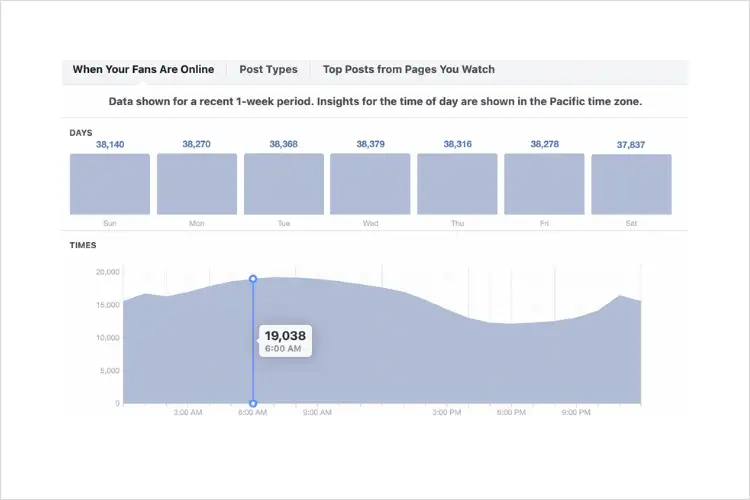
From here you can find out the stats.
That includes
- The time when your audience is online,
- Days on which the most engagement appears
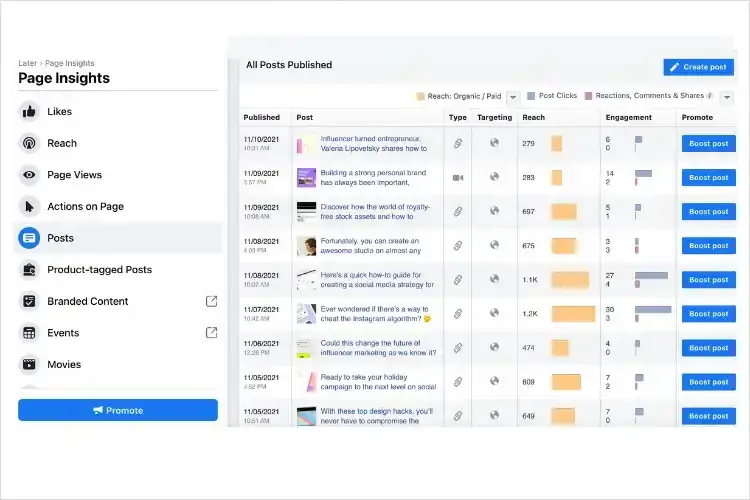
2. Check for Audience Insights
Interesting Fact:
You can also look for the posts with the most reach and reviews. In the page insight section, click on the posts option and get the data required.
3. Identify the best time to post and measure the results
Analyze the data and list out the best timings.
Accordingly, schedule your post for that time slot.
For example, if you find that the maximum number of followers are active between 6-9 P.M
Then, schedule your post to appear at 6,7,8,9 P.M respectively.
To make it easy for you, maintain a sheet for better understanding.
Just like this…
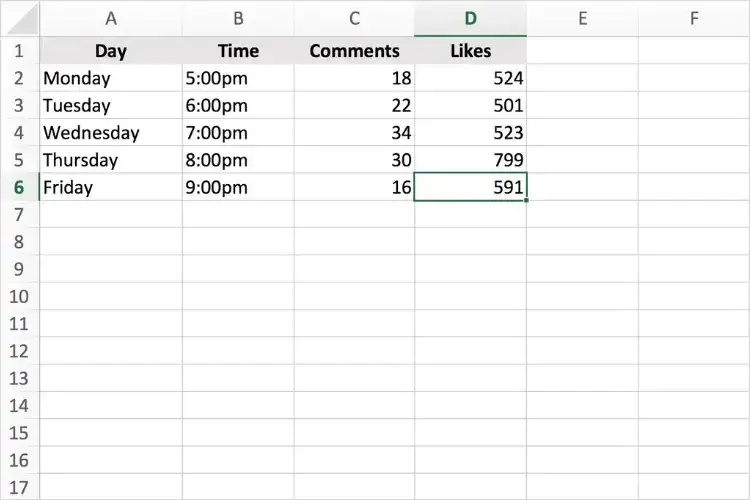
It will take a bit of time but, results are what all matters…
To make your task easy, I have got these amazing tools for scheduling.
So, you can take the help of these tools and schedule your Facebook posts.
10 Best Social Media Scheduling Tools To Boost Your SEO Game
Include Relevant Custom Tabs On Your Facebook Page
Did you even know about it?
That you can add custom tabs to your Facebook SEO page.
You have to Go to Page Settings Tab > Navigate to Templated and Tabs > Hit Edit.
Most commonly your page would have a Standard Template, but you can easily change it,
And choose the suitable one for your business.
Remember to use the most suitable tabs for your business page.
This makes it easier for the users to quickly move from one tab to the other.
Making out the full of this feature can really enhance your Facebook SEO.
Conclusion
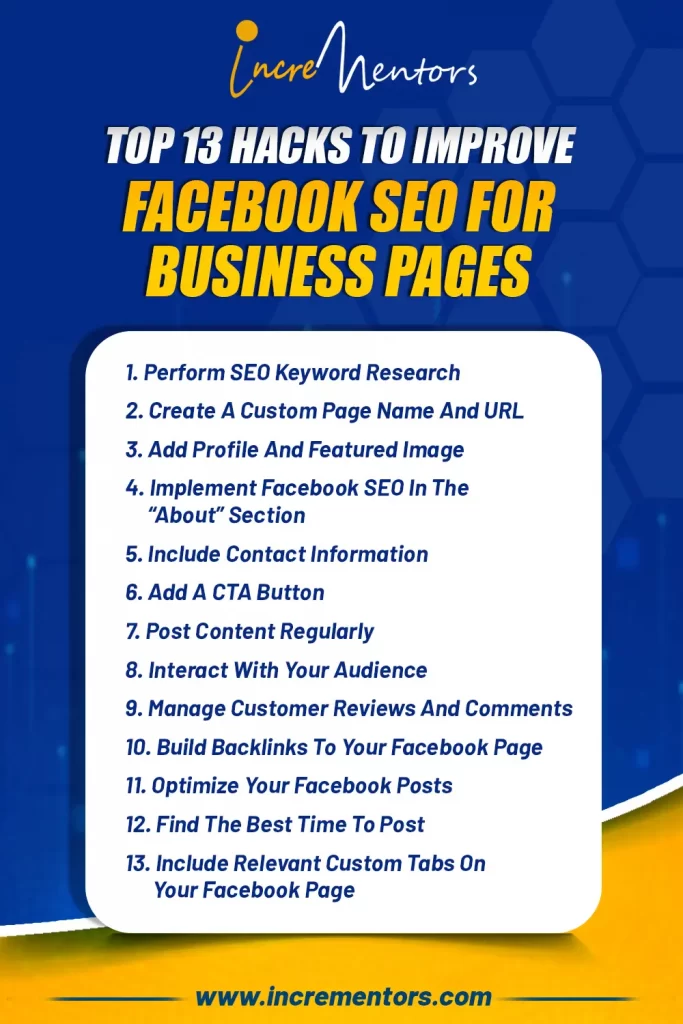
So here we go, the Top 13 Hacks to improve Facebook SEO for business pages.
If you were thinking to increase your business’s visibility and ultimately getting an infinite conversion.
Do watch out for these hacks!
And if you are serious more leads and better conversions…
Just book this Free 30-Minute SEO Strategy Session
And Up Your SEO For Facebook.
FAQs
1. How do Facebook keywords work?
Firstly, identifying the most relevant keywords is the first to start with keyword research for Facebook SEO.
Next, you have to be very smart while putting those keywords in the right place.
If done correctly, these keywords will only help you get better rankings and ultimately more organic traffic.
2. Does a Facebook business page help with SEO?
A short and simple answer is YES!
Facebook SEO for business pages is a must-do thing if you want your pages to rank higher and drive more potential customers.
Using the key principles can really have an impact on your overall SEO performance over Facebook and Google Searches.
3. Do Facebook likes help SEO?
Though Likes don’t have a direct impact on rankings. But indirectly it has.
More likes on a post make it more attention-grabbing. People tend to look for a post that gets more likes and comments.
Want to rank #1 on Google?
Get a free SEO audit and discover exactly what's holding your website back.

Shiv Gupta
Founder & CEO, Incrementors
Shiv Gupta is an award-winning digital marketing strategist and creator of the 'FastTrack CRO' methodology. Recognized as a Thought Leader in ROI-Driven Digital Marketing by Business Connect, he leads Incrementors, which Forbes has recognised as one of the Top SEO Agencies in the World. Incrementors implements integrated growth marketing strategies based on data and ROI measurement. Gupta helps brands of all sizes scale effectively through comprehensive solutions—from AI-driven top-funnel marketing to SEO, email campaigns, and conversion optimization.